
A GHL custom menu with signposts your team can read
GoHighLevel ships with thirty-odd menu items; your reservation desk needs about six. Rename them in your own words, put them in the order the day runs, hide the rest, and choose a sidebar, a right dock or a top bar with mega menus.
How do you change the GoHighLevel menu?
With the GHL Customizer you change the GoHighLevel menu in an editor: drag items into order, rename them, swap icons, hide the unused ones and add custom links. Then choose a left sidebar, right dock or top bar, a header style, mega menus for sections with sub-pages and an optional floating quick menu. It installs once and applies to every sub-account.
- 3
- positions: left, right or top
- 8
- top bar styles
- 8
- mega menu styles
- 8
- header styles
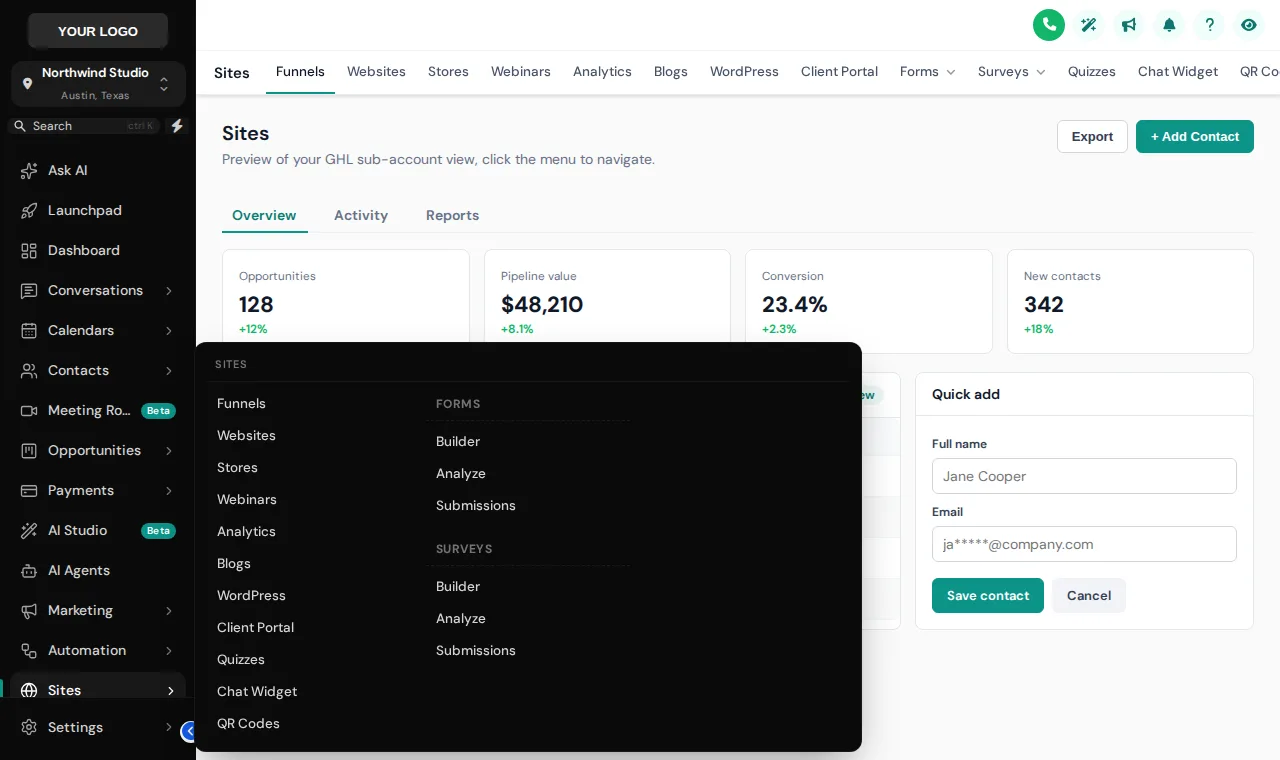
Sub-pages in one glance, not three clicks
Sections such as Sites, Payments and Marketing hide a dozen sub-pages each. A mega menu opens them all in one panel. The customizer learns each section's tabs from GoHighLevel itself, so new pages appear without you lifting a finger.
Columns: everything at once · Split: list left, menu right · Cascade: hover an item, menu opens beside · Tiles: icon cards, click to open · Tabs: items as tabs, menu below · Icon rail: slim icons + menu · Accordion: expands in place · Wide: full-width band
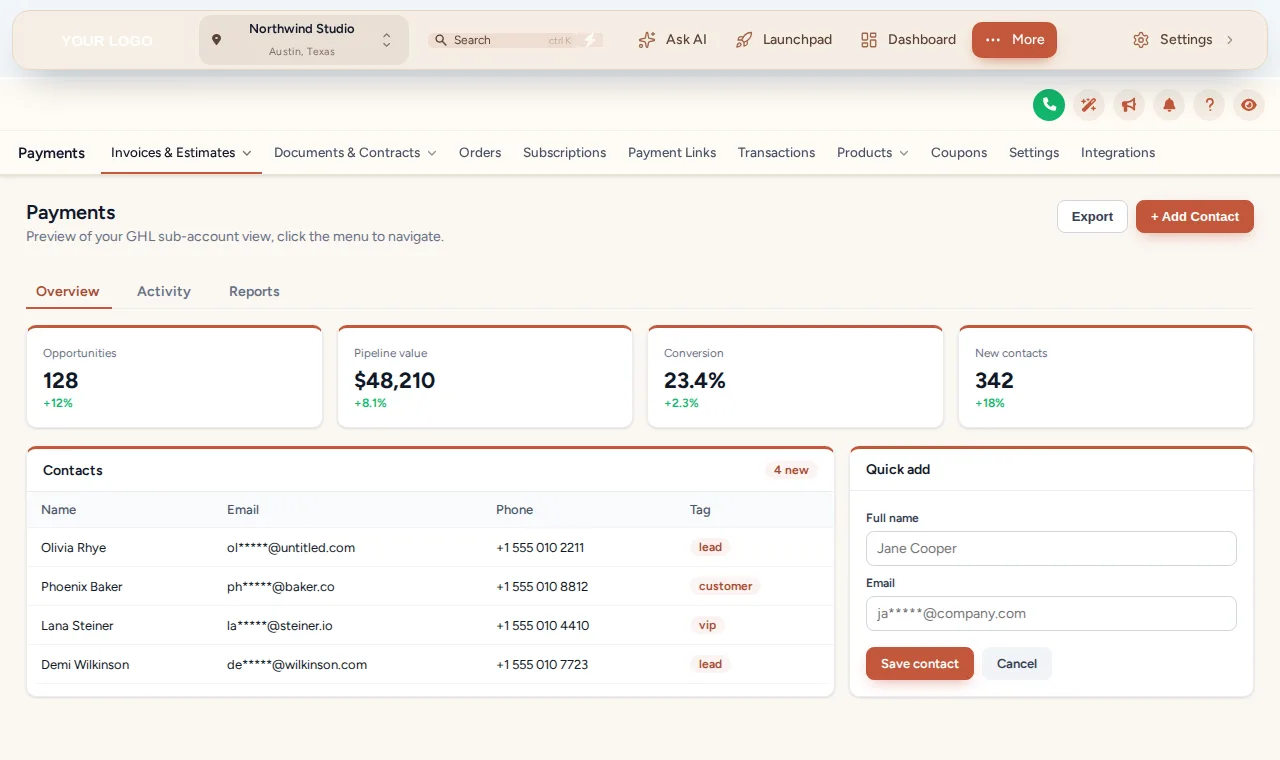
Give wide screens their width back
Reservation desks often run GoHighLevel next to a booking engine and a map. A top bar frees the full width of the screen for the pipeline board or the inbox. Top bar styles include Solid, Floating, Glass, Brand gradient, Underline, Segmented, Centered, Slim.
- Merged header option saves a whole row of space
- Settings links stay reachable from the top bar
- Floating quick menu as a bubble, dock bar or side rail
Menu setups for travel teams
Reservation desk
Inbox, Bookings, Departures and Guests at the top, in that order. Everything else tucked under a single More item.
Guides in the field
A short menu with Calendar and Guests only, so the phone screen is not a wall of icons between stops.
Agencies onboarding operators
A clean, renamed menu in every sub-account means fewer "where is the…" support tickets from new travel clients, and a portal that looks designed rather than inherited.
Customize the GoHighLevel menu in four steps
- Step 1
Arrange the menu
Drag items into the order your team works in, rename them in your own words, choose icons, hide what nobody uses and add your own links.
- Step 2
Choose a layout
Keep the sidebar on the left, dock it on the right or switch to a top bar in one of 8 styles. Pick one of 8 header styles to match.
- Step 3
Add mega menus and a quick menu
Let sections such as Payments or Sites open in one of 8 mega menu styles, and add a floating quick menu with the pages people use most.
- Step 4
Save and check both views
Preview the agency view and the sub-account view, then save. The new navigation appears on the next page load.
Included in Explorer ($417 one-time) and in Grand Tour. Sidebar or top-bar layout comes with every package; mega menus and the floating menu start in Explorer.
Menu and navigation questions
Sidebars, top bars, mega menus and renamed items: what tour teams ask before they reorganise GoHighLevel.
Still wondering about something? Ask us directly and a person from our support team writes back.
Can you customize the GoHighLevel sidebar menu?
Can I rename GHL menu items to tourism terms?
What is a GHL mega menu?
What is the floating quick menu?
Which package includes menus?
Does hiding a menu item block access to the page?
Can the agency and sub-accounts have different menus?
What happens when GoHighLevel adds a new menu item?
Does it work on phones and tablets?
Next stops on the tour
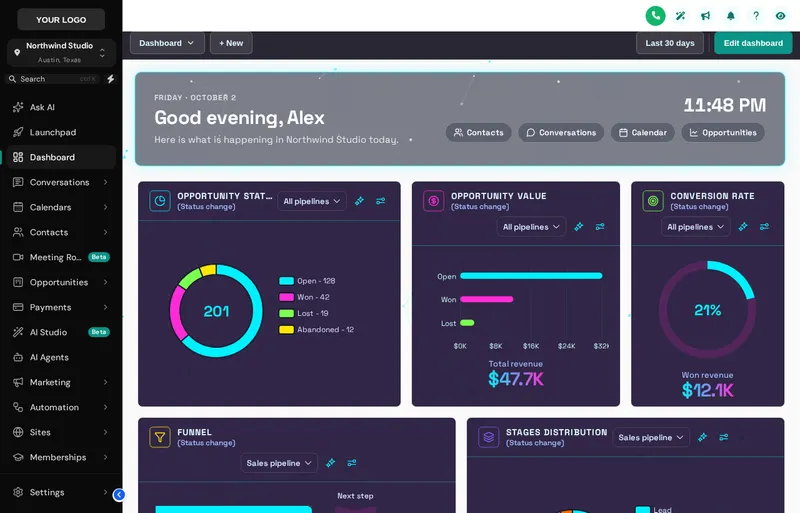 Stop 03Dashboard designsA home screen your reservation desk wants to open.From Explorer
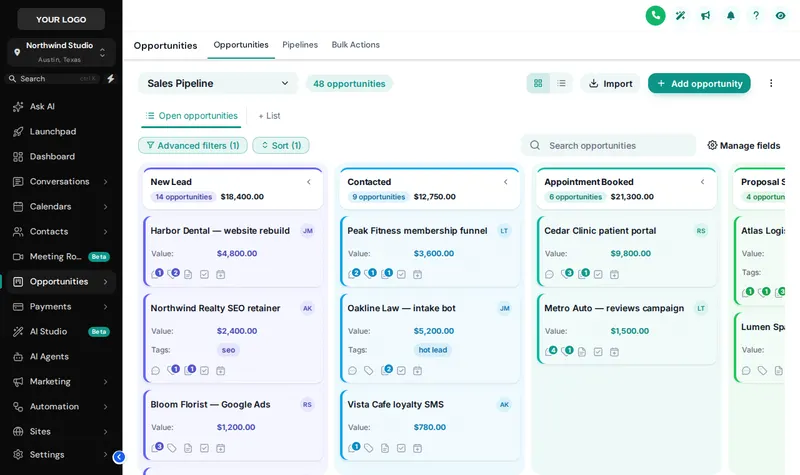 Stop 07Pipeline board designsInquiry to departed, readable at a glance.From Explorer
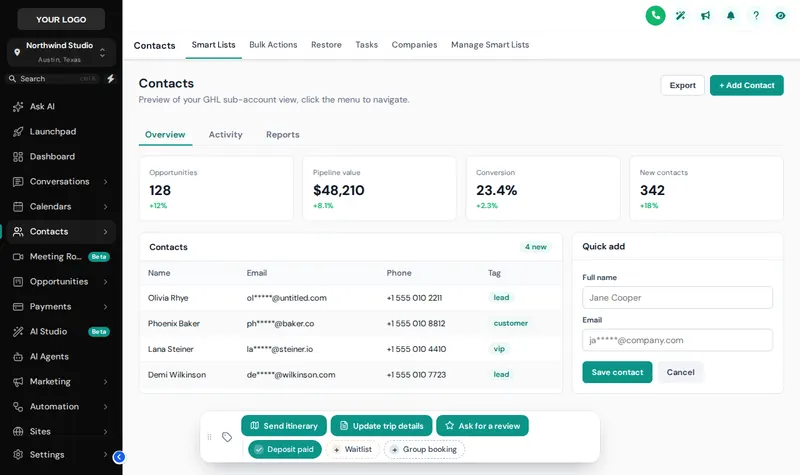 Stop 08Contact actions barOne-tap tags and buttons on every guest record.From Explorer
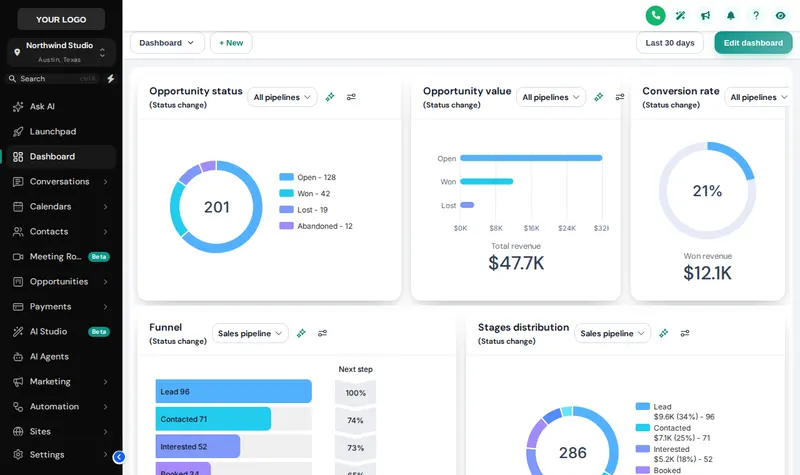 Stop 02Themes, UI kits and dark modeColour, type, UI kit and dark mode for every screen.From Day Trip
Put up signposts your whole team understands
Mega menus and the floating quick menu come with Explorer, alongside the dashboard and pipeline designers.
Secure one-time payment by Stripe · login emailed within minutesIndependent product. GoHighLevel and HighLevel are trademarks of HighLevel Inc. GHL Tourism Snapshot is an independent business and is not an official partner, employee or reseller of HighLevel. GHL Customizer accounts run on the GHL Customer Care customizer platform; you customize and install the look yourself. The screenshots in this section are our own captures of the customizer's preview engine running on sample data, and every sample name in them is made up.
Your Explorer account
Self-serve account · login emailed within minutes (max 24 h) · lifetime access